
Amazon India Apparel & Jewelry Image Guidelines (2026)
Amazon image specs: 1,000 px+ on white #FFFFFF, ≥85% frame fill, JPEG, standing model or ghost mannequin. PT01–PT08 slots, AI rules, and rejection traps.
Last verified:
Short answer: For apparel, Amazon's main image must be a standing human model or a ghost mannequin render on a pure white #FFFFFF background, JPEG, at least 1,000 px on the longest side (1,600 px+ recommended), with the product filling at least 85% of the frame. For jewelry, the main image must be product-only on white. Visible mannequins are prohibited. AI-generated imagery is permitted in 2026, provided the render accurately represents the physical product.
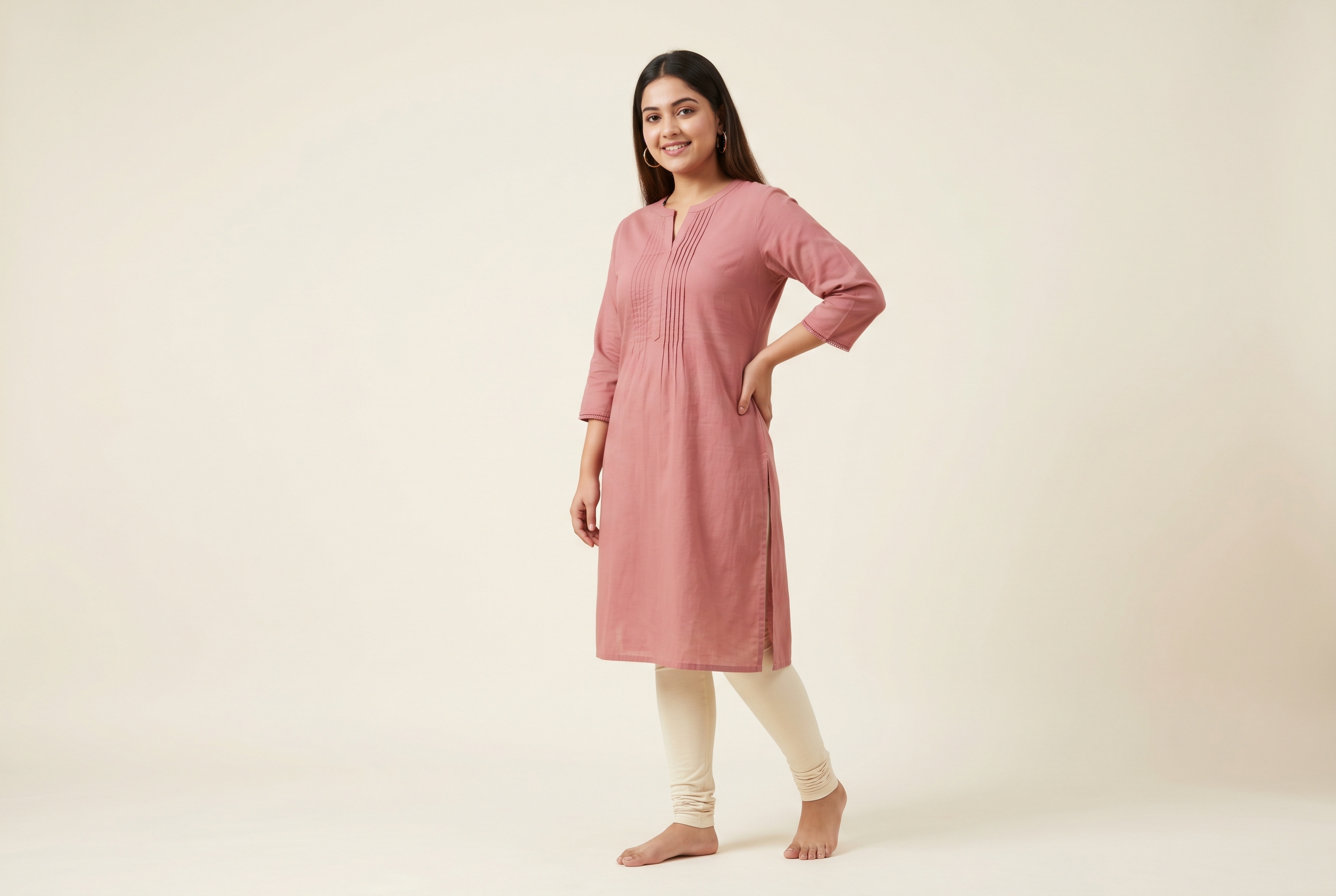
This guide is the verified spec sheet for apparel and jewelry sellers — every field that triggers automated suppression, every PT-slot rule, and what changed in Amazon's image enforcement during 2024–2025.
For a cross-platform comparison with Myntra, Flipkart, and Shopify, see Marketplace Product Photo Specs 2026.
Core technical specs
| Field | Spec |
|---|---|
| Min dimensions | 1,000 px on the longest side (zoom threshold) |
| Recommended | 1,600–2,000 px on the longest side |
| Maximum | 10,000 px on the longest side |
| Aspect ratio | No fixed ratio; 1:1 is the de-facto main standard |
| File format | JPEG (.jpg) preferred. PNG, TIFF, non-animated GIF accepted. JPEG is the only format Amazon explicitly recommends for product detail pages. |
| Max file size | 10 MB (Seller Central upload cap) |
| Color space | sRGB or CMYK |
| Color profile | Embed sRGB to avoid downstream color shifts |
Source: Amazon Seller Central — Product image guide (G1881), accessed 2026-05-04 (gated).
Amazon image checklist
Run every primary image through this list before bulk-uploading. Secondary images allow lifestyle and studio backgrounds.
- Pure white backgroundRGB 255/255/255, sRGB color space. No off-white, no grey, no cream.
- Product fills 85% of the frameGarment or jewellery occupies at least 85% of the image area.
- Minimum 1000×1000 px1600×1600 is the threshold for Amazon’s zoom feature.
- No text, logos, or watermarksPure product only on the primary image. Lifestyle stays in secondary slots.
- No mannequins on the primary imageLive model for apparel; floating/hand model for jewellery.
- sRGB color profile embeddedPrevents color-shift on the Amazon CDN — embedded, not just tagged.
- JPEG or TIFF (PNG accepted)No animated GIFs. JPEG quality 85–95.
The main image: rules that get listings suppressed
Amazon's automated image checks have tightened sharply since 2024. The main image (slot 1) is no longer just a guideline — non-compliant submissions get auto-suppressed before they reach a human.
Hard rules for the main image:
- Background must be pure white, RGB (255, 255, 255), no exceptions, no off-white, no light grey.
- Product must occupy ≥ 85% of the frame. Below 85%, expect suppression.
- No borders, watermarks, text overlays, props, or seller logos.
- No nudity, partial nudity, or inappropriate content.
- No multiple views or composite layouts. One product, one frame.
- No promotional badges ("Best Seller", "Free Shipping", price stickers).
For apparel specifically:
- Standing human model OR ghost mannequin only. Visible mannequins are prohibited. Flat-lay is allowed only for multi-packs, accessories, and infant/toddler clothing.
- No sitting, kneeling, leaning, or lying poses. Only standing.
- No cropping below the knees or above the chin in the main slot. Full silhouette, including footwear if applicable to the SKU.
For jewelry specifically:
- Product-only on white in the main slot. Rings on hands, necklaces on busts, earrings on ears — all pushed to alternate slots.
- No props in the main slot, including ring boxes, jewelry stands, fabric drapes.
- Clear product visibility — no harsh reflections that obscure the metal or stone.
References: Amazon Brand Registry image policies, Jungle Scout — Amazon image requirements, My Amazon Guy — listing image guidelines.
The PT01–PT08 alternates
Amazon allows up to eight alternate images per listing, slotted as PT01 through PT08 in the seller catalog. The detail page typically shows seven plus an optional video.
A high-converting apparel listing usually allocates the slots like this:
| Slot | Content |
|---|---|
| MAIN | Standing on-model or ghost mannequin, white background |
| PT01 | Front detail close-up — fabric weave, print, trim |
| PT02 | Back view on-model |
| PT03 | Side or three-quarter view on-model |
| PT04 | Lifestyle / in-context shot (real environment, real pose) |
| PT05 | Size and fit comparison or styling shot |
| PT06 | Infographic — size chart, fabric composition, care instructions |
| PT07 | Detail shot — closure, hardware, embroidery |
| PT08 | A+ Content teaser or lifestyle hero |
For jewelry, the slot strategy shifts:
| Slot | Content |
|---|---|
| MAIN | Product-only on white |
| PT01 | Top-down or alternate angle on white |
| PT02 | On-model — necklace on bust, ring on hand, earrings on ear |
| PT03 | Lifestyle / styled shot |
| PT04 | Stone / gem detail at scale |
| PT05 | Hallmark, certification, or material proof |
| PT06 | Packaging, gift box |
| PT07 | Size reference (coin, hand, ruler) |
| PT08 | Comparison or mood shot |
Alternate slots accept lifestyle, in-context, infographic overlays, and text — none of which is permitted in the main slot.
Common rejection reasons (and how to pre-flight against them)
The most frequent reasons Amazon's automated checks suppress an apparel or jewelry listing in 2025–2026, in roughly descending frequency:
- Background not pure white. Even RGB (252, 252, 252) gets flagged. Sample three points (corners, center) with the eyedropper before upload.
- Frame fill below 85%. Crop tighter. The product, not the negative space, is the asset.
- Visible mannequin. A mannequin head, neck, or limb in frame is grounds for suppression. Either remove via ghost-mannequin compositing or use an on-model shot.
- Borders or frames. Including thin grey or off-white edges from sloppy background extraction.
- Watermarks or seller logos. Including small transparent ones.
- Text overlays. Even a "100% cotton" badge will fail.
- Color fringing. Halo artifacts around the product from poor background-removal masking.
- Sub-1,000 px resolution. Below the zoom threshold, suppression is automatic.
- Wrong format. TIFF and PNG sometimes fail rendering; JPEG is the safe path.
A simple pre-flight checklist any photo team can run:
[ ] Background = #FFFFFF (sampled at 3 points)
[ ] Product fill ≥ 85% of frame
[ ] No mannequin visible (standing model or ghost mannequin only for apparel)
[ ] No borders, frames, watermarks, text, badges
[ ] Longest side ≥ 1,600 px
[ ] JPEG format
[ ] sRGB color profile embedded
[ ] File size ≤ 10 MB
AI-generated imagery: where Amazon stands in 2026
AI-generated photos are permitted on Amazon as of 2026, with one binding constraint: the render must accurately represent the physical product. This means:
- Color accuracy is non-negotiable. A render that drifts even half a Pantone step from the actual garment color is a return waiting to happen — and Amazon's return-rate signal feeds buy-box logic.
- Pattern fidelity is non-negotiable. Stripes that drift, plaids that slip, prints that warp will get caught either at QC or in customer return reviews.
- Material accuracy. A polyester garment that renders like silk is a misrepresentation, regardless of how good the image looks.
Older AI photo tools (built on first-generation diffusion base models) frequently fail these tests on complex garments. Fidelity-first pipelines built on 2025–2026 frontier generation models preserve weave, print, drape, and metal hardware accurately enough that the fidelity question is no longer the limiting factor.
The other consideration is provenance. Some marketplaces (and increasingly, regulators) want to know which images are AI-generated. Frontier image models embed SynthID watermarking — invisible, audit-ready, doesn't affect the appearance. Amazon hasn't required this yet, but it's worth choosing tools that provide it ahead of policy.
India marketplace note
Amazon.in mirrors the US apparel spec for main images: standing model or ghost mannequin, #FFFFFF background, 1,000 px+ longest side. No material divergence found in 2026 (unverified — confirm in Seller Central IN before bulk uploading).
What this means for your workflow
For a 100-SKU apparel catalog needing 8 images each (1 main + 7 alternates), you're producing 800 images. The traditional studio pipeline — model day rates, retoucher per-image, ghost-mannequin compositing — runs $40,000–$120,000 and 4–8 weeks elapsed.
The 2026 alternative: capture each garment once on a hanger or flat-lay, render it through a fidelity-first AI photoshoot platform across multiple model demographics, scenes, and angles. Same 800 images at $1–$3 each, in days rather than weeks, with the source captures reusable for any spec change Amazon ships next year.
If you want to test fidelity on your own garments before committing, start a Kraftr shoot — pay-as-you-go credits, 4K renders typically in 60–90 seconds.
Further reading
Frequently asked questions
- What is Amazon's main image requirement for apparel?
- A standing human model or ghost mannequin on pure white #FFFFFF background, JPEG, at least 1,000 px on the longest side (1,600 px+ recommended), with the product filling at least 85% of the frame. No sitting, kneeling, leaning, or lying poses. No visible mannequins.
- What background must Amazon's main image have?
- Pure white, RGB (255, 255, 255), strictly enforced. Off-white — even RGB (252, 252, 252) — gets flagged. Sample three points (corners, center) with an eyedropper before upload. Amazon's automated image checks suppress non-compliant submissions before they reach a human.
- Does Amazon allow AI-generated product images in 2026?
- Yes, AI-generated imagery is permitted on Amazon in 2026, with one binding constraint: the render must accurately represent the physical product. Color, pattern, and material accuracy are non-negotiable — Amazon's return-rate signal feeds buy-box logic, so misrepresentation has direct cost.
- What is the minimum image resolution on Amazon?
- 1,000 px on the longest side is the hard floor for the zoom feature. 1,600–2,000 px is recommended for product detail pages. Maximum allowed is 10,000 px. Sub-1,000 px submissions get suppressed automatically.
- Are ghost mannequin images allowed on Amazon?
- Yes. Ghost mannequin (invisible mannequin) renders are accepted for the apparel main slot, alongside standing human models. Visible mannequins are prohibited. AI on-model is also accepted provided it accurately represents the physical garment.
- How much of the frame must the product occupy on Amazon?
- At least 85% of the frame. Below 85%, expect automated suppression. The product, not the negative space, is the asset — crop tighter.
- What is the difference between Amazon US and Amazon India image rules?
- Amazon India mirrors the US apparel spec for main images: standing model or ghost mannequin, #FFFFFF background, 1,000 px+ longest side. No material divergence found in 2026 (unverified — confirm in Seller Central IN before bulk uploading).
- What slots does Amazon allow per listing?
- One MAIN slot plus eight alternate slots, PT01 through PT08. The detail page typically shows seven plus an optional video. Alternates allow lifestyle, in-context, infographic overlays, and text — none of which is permitted in the main slot.
- What are the most common reasons Amazon rejects images?
- Background not pure white, frame fill below 85%, visible mannequin, borders or frames, watermarks or seller logos, text overlays, color fringing from poor background-removal masking, sub-1,000 px resolution, and wrong file format (TIFF or PNG sometimes fail rendering — JPEG is the safe path).
About the author
Kraftr is a fidelity-first AI catalog production tool for D2C fashion and jewelry brands selling on Indian marketplaces. We publish marketplace specs and production playbooks based on the rules our customers ship against every week.
More about Kraftr